Does it work in China?
What to expect on Chinese SIM cards, hotel Wi-Fi and roaming eSIMs. Pick your app.
See all 33 apps WhatsApp
 Google
 Gmail
 YouTube
 Instagram
 ChatGPT
 iMessage
 Alipay
 Apple Pay
China Mobile SIM
Mostly blocked
Google, WhatsApp and Instagram won’t load.
Hotel Wi-Fi
Mostly blocked
It connects inside China, behind the same filters.
Roaming eSIM
Mostly works
Your data leaves China before it reaches the internet.
Expected results
Not tested by us yet. This is what public reports lead visitors to expect on a China Mobile SIM and a roaming eSIM.


Blocked on Chinese networks
9 apps


Works everywhere
7 apps


Partly
1 appSame phone, two answers
The network decides, not the app. A Chinese SIM card and hotel Wi-Fi connect inside China, where the filters are. A roaming eSIM carries your data abroad first, so the same app opens.
Before you fly
An hour at home saves your first day in China. Do these in order, on your own Wi-Fi, before you leave for the airport.
Screenshot this list. Times are rough estimates for one phone.
A week before
- Check your phone takes an eSIM and is unlocked2 min
- Buy a roaming eSIM5 min
- Set up WeChat10 min
- Add your card to Alipay10 min

The day before
- Install the eSIM on home Wi-Fi5 min
- Back up WhatsApp chats10 min
- Download Amap (China’s main map app) and an offline translator10 min
- Save backup sign-in codes5 min
- Turn off data roaming on your home SIM1 min

On landing
- Set the eSIM as your data line, data roaming on1 min
- Keep your home SIM on for SMS codesalways
- Hotel Wi-Fi off when using Google or WhatsAppas needed
First we land in China.
Every test will run from inside the mainland.
Then we open every app.
Does it open, send, load and call? The same checks each time.
We try four networks.
Local SIM, hotel and café Wi-Fi, roaming eSIM, home SIM on roaming.
Every month, again.
Each result will show its date, with a screenshot as proof.
| Network | Which one | What we check | Proof |
|---|---|---|---|
| Local SIM card | China Mobile, China Unicom, China Telecom | Does the app open, send, load and call? | Dated screenshot and speed test |
| Hotel and café Wi-Fi | Named in each result | The same checks on a Chinese fixed line | Dated screenshot |
| Roaming eSIM | Airalo, Nomad | Which country the data exits in, then the same checks | Exit location, screenshot and speed test |
| Home SIM on roaming | Named in each result | The same checks on your own carrier’s roaming | Dated screenshot |
Questions before you land
Based on public reports until our tests are done.
Ask us something elseHow do I pay in China?
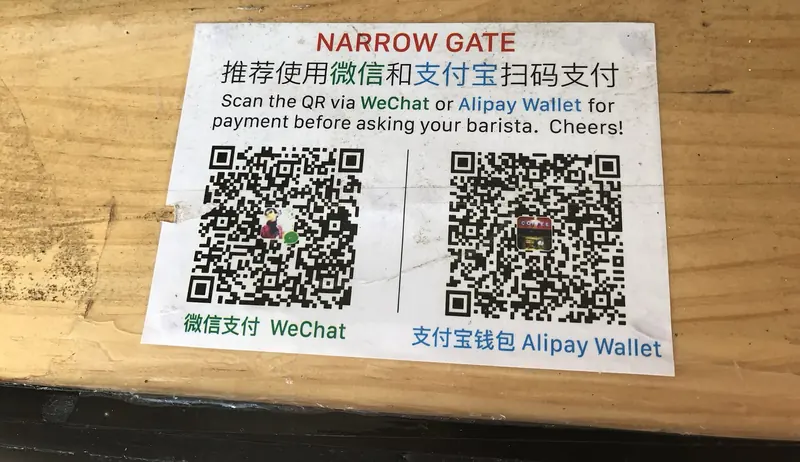
With Alipay or WeChat Pay, by scanning the shop’s QR code or showing yours. Both take foreign Visa and Mastercard cards: add your card in the app before you fly. Apple Pay works only at some terminals, so carry some cash as a backup.
Why do blocked apps work on a roaming eSIM?
A roaming eSIM sends your data to a network abroad before it reaches the internet, so China’s filters don’t apply to it. A Chinese SIM card or hotel Wi-Fi connects inside China, where they do.
Does it matter if my eSIM exits in Hong Kong?
For most apps, no. For ChatGPT, Gemini and some other AI tools, yes: they don’t serve Hong Kong, so pick an eSIM that exits somewhere else. Each eSIM’s exit country will be on our eSIM page once it has been tested.
Which map app should I use?
Amap (Gaode) or Apple Maps. Google Maps opens on an eSIM, but its China data is out of date and the streets sit offset from the satellite view.
Can I get a Chinese phone number?
Yes: a local SIM card from China Mobile, Unicom or Telecom, at the airport or a carrier store, with your passport. A local number helps with food delivery and some ticket sites.
How often do you retest?
The plan is every app, every month, on every network in the table above, with each result showing its date. No result on this site has a test date yet: until one does, it is marked expected.